



The Ultimate Guide: Top 7 Parental Control Software for Windows in 2026
2023-07-19
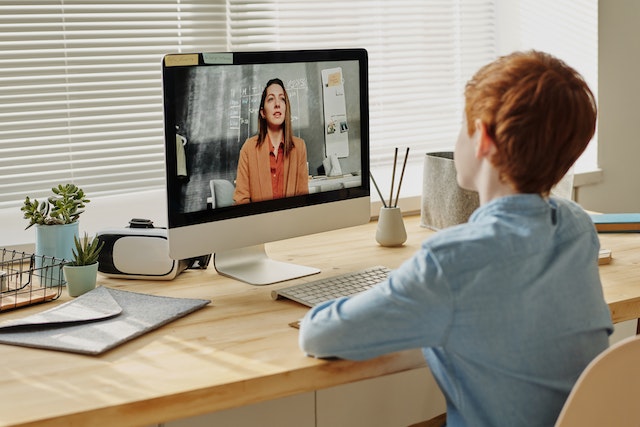
Parental control software can help modern parents support their children’s online safety and manage digital activities more effectively. The right software may help reduce exposure to inappropriate content, potentially concerning interactions, and excessive screen time. This article will explore the top seven software options for parental control on Windows in 2026, providing a comprehensive overview of each and helping you choose what's right for your family.
Introduction
As technology advances, children gain access to various devices earlier. While the Internet offers numerous educational resources and entertainment opportunities, it exposes children to potential risks and inappropriate content. Parental control software serves as a safeguard, allowing parents to monitor, filter, and control their children's online activities. Parents can use these tools to balance digital freedom and protect their children from potential harm.
What is Parental Control Software?
Parental control software refers to various applications designed to give parents control over their children's online experiences. It provides content filtering, website blocking, time restrictions, activity monitoring, and remote management. These tools enable parents to set boundaries, enforce internet usage rules, and gain insights into their child's digital behavior.
Benefits of Parental Control Software
Using parental control software offers several significant benefits for both parents and children. Let's explore some of these advantages:
Safety: Parental control software helps protect children from harmful and inappropriate content, including violence, explicit material, and cyberbullying.
Online Privacy: These tools allow parents to safeguard their children's personal information and prevent them from sharing sensitive data online.
Time Management: Parents can set time limits and schedules to regulate their children's screen time, ensuring a healthy balance between online and offline activities.
Education and Learning: Parental control software offers features encouraging educational activities and restricting access to distracting websites or applications.
Remote Monitoring: Many parental control software options provide remote monitoring capabilities, allowing parents to stay informed about their child's online activities even when they are not physically present.
When choosing the right parental control software for your family, several options stand out regarding features, user-friendliness, and reliability. Let's take a closer look at the top seven software options for parental control on Windows in 2026:
1. Spyrix Personal Monitor
Spyrix Personal Monitor is a versatile program that provides activity reports and parental control features for an authorized child’s Windows computer.
Its features may include input activity reports, screenshots, website activity, and content restrictions. Because some reports may contain private information, they should be configured selectively and used transparently.
2. Qustodio
Qustodio is a popular parental control software known for its user-friendly interface and advanced features. It offers content filtering, time restrictions, social media monitoring, and location tracking. Qustodio also provides real-time notifications and reports, giving parents better control over their child's online activities.
3. Net Nanny
Net Nanny is a trusted name in the world of parental control software. It features a powerful web filtering system that blocks inappropriate content effectively. With Net Nanny, parents can set up customizable profiles, manage screen time, and monitor social media platforms. The software also provides real-time alerts and email reports for added convenience.
4. ESET Parental Control
ESET’s parental control features for Windows help parents manage access to websites and content categories through individual Windows user accounts. Available functionality depends on the installed ESET product and version.
5. Norton Family
Norton Family is another well-known name in the parental control software market. It offers a range of features, including web filtering, time supervision, search monitoring, and social network tracking. Norton Family lets parents set up multiple child profiles, view search history, and receive email alerts for suspicious activity.
6. Kidslox
Kidslox is a versatile parental control software that provides robust content filtering, app blocking, and screen time management. It offers cross-platform compatibility, allowing parents to manage their child's digital activities across multiple devices. Kidslox also offers a unique "Bedtime" feature that helps establish healthy sleep routines by automatically blocking apps at night.
7. Microsoft Family Safety
Microsoft Family Safety provides parental control features for connected Windows devices. Parents can set screen time and app limits, review activity reports, and configure website and search filters. Some web filtering features require Microsoft Edge.
Overview of Spyrix Personal Monitor
Among the top parental control software options for Windows in 2026, Spyrix Personal Monitor stands out for its comprehensive monitoring capabilities. With Spyrix Personal Monitor, parents may review supported input, social media, website, and screenshot reports and configure available content restrictions on an authorized child’s computer. The software provides a user-friendly interface and detailed reports, making it an excellent choice for parents who value in-depth monitoring and control.
Tips for Making the Most Out of Parental Control Software
To maximize the benefits of parental control software, consider the following tips:
Open Communication: Discuss the importance of online safety and responsible internet usage with your child. Encourage open communication so they feel comfortable discussing their online experiences with you.
Customize Settings: Adjust the software settings based on your child's age, maturity level, and specific needs. Regularly review and update the settings as your child grows.
Educate Yourself: Stay updated on the latest digital trends and potential risks to guide your child through the online world effectively.
Lead by Example: Promote responsible digital behavior by being a positive role model.
Monitor Appropriately: While monitoring your child's online activities is essential, respect their privacy and autonomy. Find the right balance between supervision and trust.
FAQs
Is parental control software compatible with all devices? Compatibility varies by product, operating system, device version, and feature. Check the current system requirements before choosing a solution.
Can parental control software completely block all inappropriate content? No filtering tool can block every inappropriate website or item. Parents should review settings regularly and combine software with open communication about online safety.
Can parental control software monitor social media activities? Many parental control software options offer social media monitoring features that allow parents to track their child's activities on popular platforms.
Can parental control software restrict screen time on specific apps or games? Yes, most parental control software options provide app and game-blocking features, allowing parents to set time limits on specific applications or games.
Can parental control software track a child's location? Some parental control software options offer location tracking features, which can help ensure your child's safety and know their whereabouts.
Conclusion
In today’s digital age, parental control software may provide useful support for children’s online safety. Choosing the right software for your family's needs can effectively manage screen time, protect your children from potential risks, and encourage responsible digital behavior. Consider the features and capabilities offered by the top software options discussed in this article, and select the one that aligns with your family's values and requirements.