



DeskTime Review 2026: Key Features, Pricing, Benefits and Drawbacks
2026-04-15
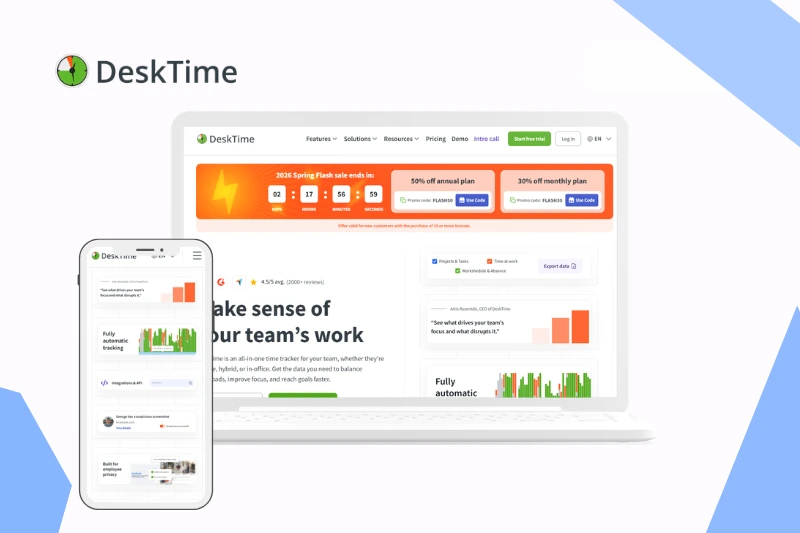
Today’s market is flooded with monitoring software and time tracking tools. However, choosing the right solution can be difficult due to the wide variety of options and feature limitations. The Spyrix team has launched a series of articles dedicated to employee monitoring software reviews, and this time, we turn our attention to DeskTime.
In this review, we explore its key features, practical benefits, drawbacks, pricing details, and real user feedback so you can make a more confident decision for your team in 2026.
Table of contents:
What Is DeskTime?
DeskTime positions itself as an employee time tracking and productivity monitoring tool designed to help businesses estimate how work hours are spent. Its main concept is automatic tracking that runs in the background throughout the workday.
The software tracks time spent on apps, websites, and projects, and classifies this activity as productive, unproductive, or neutral based on predefined settings. This gives managers a clearer view of team performance without constant manual updates from employees.
In addition to time tracking, DeskTime includes project tracking, shift scheduling, absence management, and optional screenshot monitoring. Together, these features are intended to provide broader visibility for remote and hybrid teams.
DeskTime at a Glance
- Best for: Small and medium-sized teams looking for automatic time tracking
- Core focus: Employee productivity monitoring and time tracking
- Key features: Automatic time tracking, app and URL tracking, productivity reports, project tracking, absence management
- Pricing: Subscription-based with free trial and limited free version
- Platforms: Windows, macOS, Linux, web, and mobile apps
- Ease of use: Simple setup with minimal manual input required
- Main advantage: Fully automatic tracking without manual timesheets
- Main drawback: Limited flexibility and customization compared to more advanced tools
DeskTime Pros and Cons
Pros
- Automatic time tracking with minimal manual input
- Clear overview of employee activity across apps and websites
- Built-in productivity classification
- Simple and lightweight interface
- Project tracking and basic reporting features
- Shift scheduling and absence management tools
- Private Time option for better employee transparency
Cons
- No fully featured free plan for growing teams
- Limited customization and flexibility in settings
- Productivity classification often needs manual adjustment
- Reporting and analytics are relatively basic
- Screenshot monitoring may raise privacy concerns
- Not ideal for companies needing advanced project billing features
Key Features Overview - What DeskTime Offers
Automatic Time Tracking
DeskTime’s core feature is automatic time tracking. Once the desktop app is installed, it starts recording activity in the background and reduces reliance on manual timesheets.
App and URL Tracking
The software records which applications and websites employees use during the day and how much time is spent on each. This helps managers understand daily work distribution across tools and tasks.
Productivity Analysis
DeskTime classifies apps and websites as productive, unproductive, or neutral. This helps evaluate productivity patterns, although classification quality depends on correct configuration.
Project Tracking
Users can assign tracked time to specific projects and tasks. This is useful for basic project-level visibility, though it is less advanced than dedicated project management platforms.
Shift Scheduling and Absence Management
DeskTime also includes workforce management tools for planning shifts, tracking time off, and handling absences, making it practical for teams that want one lightweight system for monitoring and scheduling.
Screenshots and Privacy Controls
Optional screenshots add extra visibility for managers, while Private Time settings let employees pause tracking when needed for personal activities.
Ease of Use and Interface
DeskTime is generally considered easy to adopt, especially for teams that want straightforward setup and automatic tracking with minimal training. Its interface is clean, and the dashboard makes core data accessible.
At the same time, organizations expecting deeper customization, advanced analytics workflows, or highly flexible reporting may find the platform somewhat limited.

DeskTime Pricing Plans in 2026
DeskTime offers several pricing tiers that differ by depth of monitoring, reporting, integrations, and workforce management capabilities.
| Plan | Price (from) | Best for | Key highlights |
|---|---|---|---|
| Pro | Paid monthly subscription | Teams needing core monitoring and reporting | App and URL tracking, productivity classification, reports |
| Premium | Higher paid tier | Businesses needing broader controls | Shift scheduling, absences, integrations, advanced options |
| Enterprise | Custom pricing | Larger organizations | Custom terms, deployment options, and dedicated support |
Pricing and included features can change over time, so it is best to verify current details on DeskTime’s official pricing page before making a final decision.
What Real User Reviews Say
Public feedback on DeskTime is mostly positive regarding ease of use and automatic tracking. Many users appreciate how quickly teams can start collecting time data without complicated onboarding.
Common complaints focus on limited flexibility, basic analytics in lower tiers, and occasional concerns around screenshot-based monitoring. Some reviewers also mention that productivity categorization needs manual tuning to stay accurate.
The reviews for this overview were analyzed on the following platforms:
DeskTime vs More Advanced Monitoring Tools
| Criteria | DeskTime | Advanced monitoring tools |
|---|---|---|
| Setup speed | Fast and simple | Usually more configuration required |
| Tracking depth | Strong for basic productivity visibility | Deeper behavior and compliance insights |
| Reporting flexibility | Moderate | High with richer customization |
| Best fit | SMBs that need quick automatic tracking | Teams needing complex analytics and controls |
Final Verdict
DeskTime is a practical option for businesses that want automatic time tracking with a clean interface and straightforward setup. It covers key day-to-day monitoring needs and can work well for small and medium-sized teams.
At the same time, companies that need highly customizable analytics, deeper workforce intelligence, or advanced billing and project controls may outgrow it and prefer more feature-rich alternatives.
If your priority is simple adoption and reliable productivity visibility in 2026, DeskTime remains a solid candidate worth testing.