Best Employee Monitoring Software in 2026: Top Tools Compared
2026-04-24
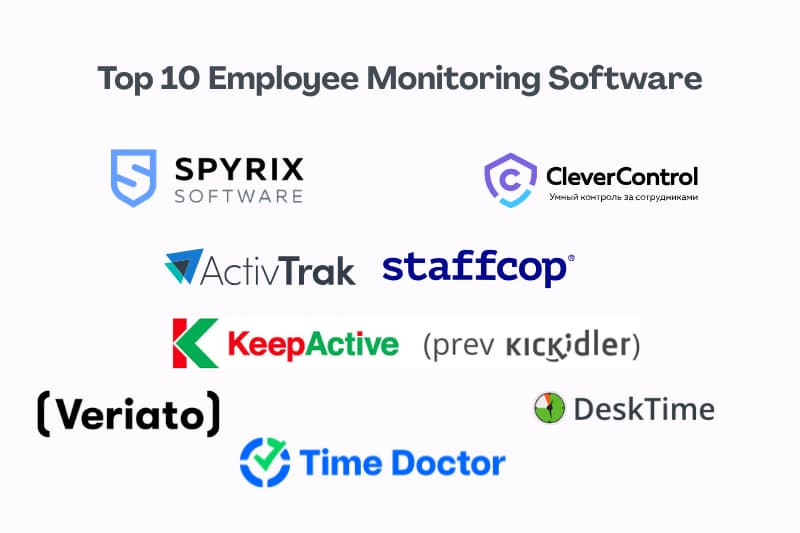
Employee monitoring software has become essential for companies that need better visibility into productivity, workflows, and employee activity across remote, hybrid, and in-office teams. Still, not all tools offer the same level of monitoring, reporting, or oversight, so choosing the right platform depends on your business goals, team structure, and required feature set.
In this guide, we compare the best employee monitoring software tools in 2026 based on monitoring capabilities, screenshots, reporting, analytics, usability, and overall value. Below, you will find a quick comparison table and short reviews of each platform to help you choose the best fit for your business.
Compare the Best Employee Monitoring Software
| Software | Best for | Deployment | Screenshots / screen recording | Activity monitoring | Reports and analytics |
|---|---|---|---|---|---|
| Spyrix | All-around monitoring | Cloud | Screenshots + recording | Advanced | Advanced |
| ActivTrak | Productivity analytics | Cloud | Screenshots | Standard | Advanced |
| Hubstaff | Remote team tracking | Cloud | Screenshots | Standard | Standard |
| Teramind | Insider risk visibility | Cloud / On-premise | Screenshots + recording | Advanced + alerts | Advanced |
| Insightful | Workforce visibility | Cloud | Screenshots | Standard | Advanced |
| Kickidler | Screen-based oversight | Desktop-based | Screenshots + recording | Advanced | Standard |
| DeskTime | Time-based monitoring | Cloud | Screenshots | Standard | Standard |
| StaffCop | Security-focused control | On-premise | Screenshots | Advanced | Advanced |
| Veriato 360 | Behavior analytics | Cloud / On-premise | Screenshots | Advanced + alerts | Advanced |
Spyrix
Best for: all-around employee monitoring, productivity visibility, and workforce oversight.
Spyrix is a strong choice for businesses that want broad visibility into employee activity, screen behavior, and day-to-day productivity from one platform. It combines activity monitoring, event screenshots, screen recording, web and app tracking, and productivity reporting, which makes it a practical option for companies that need both operational oversight and clearer performance insights. Spyrix also highlights business use cases such as IT and security, compliance, operations, and remote workforce management on its product page.
Key features:
- Activity monitoring
- Event screenshots
- Screen recording
- Web and app tracking
- Productivity reports
Pros:
- Broad monitoring coverage
- Strong visibility into daily work activity
Cons:
- May be more feature-rich than some small teams need
- Requires clear internal policies for transparent use
Explore more about Spyrix Employee Monitoring
ActivTrak
Best for: productivity analytics and workforce insights.
ActivTrak is a good fit for companies that want to understand how time is spent across teams without leaning too heavily into invasive monitoring. The platform emphasizes productivity insights, app and website usage, workload visibility, and reporting, making it especially useful for managers who want clearer performance patterns and operational trends. ActivTrak also frames its monitoring approach around workforce analytics and optimization rather than surveillance-heavy oversight.
Key features:
- Productivity analytics
- App and website tracking
- Workload insights
- Activity visibility
- Reporting dashboards
Pros:
- Strong analytics focus
- Useful for productivity trends
Cons:
- Less surveillance-heavy than some competitors
- May be less suited to teams wanting deeper recording features
Read the full ActivTrak review
Hubstaff
Best for: remote team tracking and time-based oversight.
Hubstaff is a practical choice for businesses that want to combine employee monitoring with time tracking, productivity measurement, and workforce management. The platform focuses on app and URL tracking, optional screenshots, timesheets, payroll-friendly reporting, and team activity visibility, which makes it especially useful for remote teams and service-based businesses that need both accountability and operational data.
Key features:
- Time tracking
- Optional screenshots
- App and URL tracking
- Productivity reports
- Timesheets
Pros:
- Strong fit for remote teams
- Combines monitoring with time tracking
Cons:
- More time-tracking-focused than some competitors
- Less security-oriented than deeper monitoring platforms
Teramind
Best for: insider risk visibility and advanced activity monitoring.
Teramind is a strong option for organizations that need deeper employee monitoring, behavior analytics, and security-focused oversight. The platform is known for detailed activity tracking, screen monitoring, policy-based alerts, and risk detection features, so it suits businesses that want more than simple productivity reporting. It is especially relevant for companies that prioritize compliance, insider threat prevention, and advanced visibility into user behavior.
Key features:
- Activity monitoring
- Screen recording
- Behavior analytics
- Risk alerts
- Policy-based tracking
Pros:
- Strong security-oriented monitoring
- Deep activity visibility
Cons:
- May be more complex than basic productivity tools
- Better suited to businesses with advanced monitoring needs
Insightful
Best for: workforce visibility and productivity reporting.
Insightful is a useful option for companies that want a balance of employee monitoring, time tracking, and productivity analytics in one platform. It focuses on app and website usage, screenshots, attendance visibility, and performance reporting, which makes it well suited to teams that want clearer oversight without moving too far into security-heavy monitoring. The platform is often positioned around workforce analytics, operational efficiency, and remote team management.
Key features:
- Productivity tracking
- Screenshots
- App and website monitoring
- Attendance insights
- Performance reports
Pros:
- Strong reporting for team visibility
- Balanced monitoring approach
Cons:
- Less security-focused than some competitors
- May overlap with time tracking tools for some teams
Read the full Insightful review
KeepActive (pr. Kickidler)
Best for: screen-based oversight and real-time activity visibility.
KeepActive is a good fit for companies that want direct visual oversight of employee activity through screenshots, screen recording, and live monitoring tools. The platform places a clear emphasis on screen visibility, employee behavior observation, and workstation control, which makes it attractive for businesses that prefer highly visual monitoring. It can be especially useful for teams that want to review work patterns in real time rather than rely only on summary analytics.
Key features:
- Live screen view
- Screen recording
- Screenshots
- Activity tracking
- Time tracking
Pros:
- Strong visual monitoring features
- Useful for real-time oversight
Cons:
- More monitoring-heavy than analytics-led tools
- May be too intensive for teams wanting lighter oversight
Read the full Kickidler review
DeskTime
Best for: time-based monitoring and productivity tracking.
DeskTime is a practical option for businesses that want lightweight employee monitoring combined with automatic time tracking and productivity reporting. The platform focuses on app and URL tracking, screenshots, project time measurement, and attendance-related visibility, making it a strong fit for teams that care more about productivity data than deep surveillance. It works especially well for companies that want a simpler, more time-centered monitoring setup.
Key features:
- Automatic time tracking
- Screenshots
- App and URL tracking
- Productivity reports
- Project tracking
Pros:
- Simple and accessible setup
- Strong fit for time-based oversight
Cons:
- Lighter monitoring depth than some competitors
- Less suited to security-heavy use cases
StaffCop
Best for: security-focused employee oversight.
StaffCop is designed for companies that need employee monitoring with a stronger focus on security, investigation, and internal control. The platform supports activity tracking, screenshots, user behavior visibility, and monitoring features aimed at reducing internal risks and improving oversight across sensitive environments. Because of that, StaffCop is generally better suited to organizations with stricter control requirements than to teams looking only for lightweight productivity tracking.
Key features:
- Activity monitoring
- Screenshots
- User behavior tracking
- Security oversight
- Reporting tools
Pros:
- Strong security-oriented positioning
- Useful for controlled environments
Cons:
- Less lightweight than productivity-first tools
- May be too specialized for small teams
Veriato 360
Best for: behavior analytics and risk-aware monitoring.
Veriato 360 is a good option for organizations that want employee monitoring combined with behavior analysis and insider risk awareness. The platform emphasizes user activity visibility, alerting, investigation support, and analytics that help identify suspicious or high-risk patterns. As a result, it is better suited to companies that want monitoring tied closely to security and compliance goals, rather than simple time tracking alone.
Key features:
- Activity monitoring
- Behavior analytics
- Alerting tools
- Screenshots
- Investigation support
Pros:
- Strong behavior analytics focus
- Useful for risk-aware monitoring
Cons:
- More security-driven than productivity-first
- May be more complex than lighter tools
Read the full Veriato 360 review
Choosing the Right Employee Monitoring Software
Choosing the right employee monitoring software depends on how much visibility your business needs, which reporting features matter most, and how you want to balance oversight with transparency. Some tools are better suited to productivity analytics, while others focus more on screenshots, behavior monitoring, or security-driven activity tracking.
For businesses looking for a well-rounded solution, Spyrix stands out for its broad monitoring coverage, screen visibility, and productivity insights. Other tools on this list may be a better fit for specific use cases, such as remote team tracking, insider risk detection, or time-based monitoring. The best choice ultimately comes down to your team structure, operational priorities, and monitoring goals.